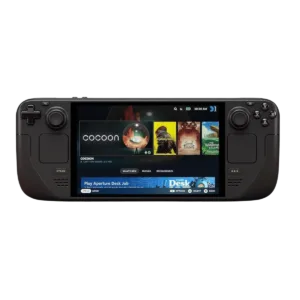
A handheld console lets you play without a fixed gaming station, but the choice should start with your own games library. In this category you will find Steam Deck OLED 1 TB with carrying case. It is a portable gaming computer with a console-style interface, not a replacement for a high-performance PC in every use case.
Check your games before buying
Valve rates titles through its Deck Verified. Verified means that a game has been prepared for use on Steam Deck, while Playable may require additional action from the user. Unsupported and Unknown are different statuses: lack of support is not the same as lack of verification.
Read the detailed rating for each title, especially when it requires an additional launcher or network services. Check controller support, text legibility and current limitations. Do not assume that every game available on a computer will run in the same way on a handheld device.
OLED display and use away from a desk
The OLED version has an HDR OLED display, and the manufacturer also changed components related to power and connectivity. When comparing variants, consider storage capacity, display type and box contents. Battery life depends on the game, display settings and how the device is used.
- Biblioteka: check the compatibility ratings for your most important games and any additional requirements.
- Storage: consider the size of installations, updates and locally stored content.
- Travel: plan charging, network connectivity and offline-mode availability in your chosen game.
- Accessories: compare the case, power adapter and method of connecting an external display.
Before travelling, install the games you need and check that they start without a network connection if offline use matters to you. Some requirements come from the game or account rather than the console specifications. Connecting a larger display does not automatically improve performance either.
Steam Deck, AR glasses and VR
Steam Deck can provide the video source for compatible glasses such as devices in the XREAL One family. The glasses manufacturer lists Steam Deck in its connection documentation. Before buying the complete setup, check the cable, required accessories and how simultaneous charging works.
Displaying a game on a virtual screen is not the same as running a PC VR game. Valve notes in FAQ Steam Decka, that the device is not optimised for PC VR. If you want a large personal display, compare AR glasses or ask about a compatible gaming kit.