Brak produktów w koszyku.



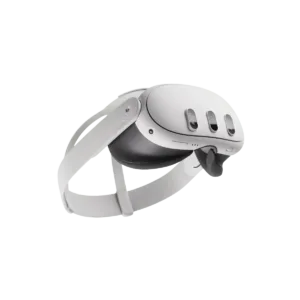
| Storage | 512 GB |
|---|---|
| Operating mode | |
| Mixed reality | Yes |
| Passthrough | Colour |
| Hand tracking | Yes |
| Eye tracking | No |
| Face tracking | No |
| Controllers included | Yes |
| PC connection | USB-C, Wi-Fi |
| Display type | LCD |
| Refresh rate | 72 Hz, 80 Hz, 90 Hz, 120 Hz |
| IPD adjustment | 58–71 mm |
| Requires a computer | No |
| Lens type | Pancake |
| Tracking type | Inside-out |
| Degrees of freedom | 6DoF |
| Brand | Meta |
| Resolution per eye | 2064×2208 |
| Field of view | 110° |
| RAM | 8 GB |
| Processor | Snapdragon XR2 Gen 2 |
| Built-in audio | Yes |
| Microphone | Yes |
| Connectivity | Bluetooth, USB-C, Wi-Fi 6E |
| Weight | 515 g |
| Controls | Gestures, Controller |
| System | Horizon OS |
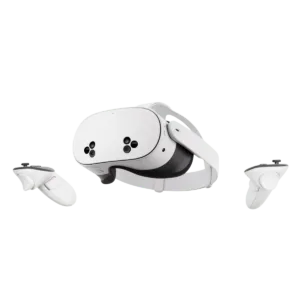
| Storage | 128GB, 256GB |
|---|---|
| Operating mode | |
| Mixed reality | Yes |
| Passthrough | Colour |
| Hand tracking | Yes |
| Eye tracking | No |
| Face tracking | No |
| Controllers included | Yes |
| PC connection | USB-C, Wi-Fi |
| Display type | LCD |
| Refresh rate | 72 Hz, 80 Hz, 90 Hz, 120 Hz |
| IPD adjustment | 58–68 mm |
| Requires a computer | No |
| Lens type | Fresnel |
| Tracking type | Inside-out |
| Degrees of freedom | 6DoF |
| Brand | Meta |
| Resolution per eye | 1832×1920 |
| Field of view | 96° |
| RAM | 8 GB |
| Processor | Snapdragon XR2 Gen 2 |
| Built-in audio | Yes |
| Microphone | Yes |
| Connectivity | Bluetooth, USB-C, Wi-Fi 6E |
| Weight | 514 g |
| Controls | Gestures, Controller |
| System | Horizon OS |
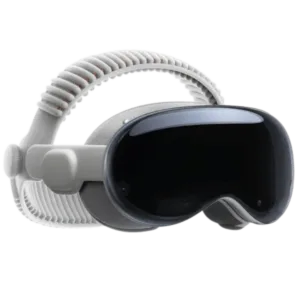
| Operating mode | |
|---|---|
| Mixed reality | Yes |
| Passthrough | Colour |
| Hand tracking | Yes |
| Eye tracking | Yes |
| Face tracking | Yes |
| Controllers included | No |
| PC connection | None |
| Display type | Micro-OLED |
| Refresh rate | 90 Hz, 96 Hz, 100 Hz, 120 Hz |
| IPD adjustment | 51–75 mm |
| Storage | 256GB, 512GB, 1TB |
| Requires a computer | No |
| Lens type | Pancake |
| Tracking type | Inside-out |
| Degrees of freedom | 6DoF |
| Brand | Apple |
| Resolution per eye | 3660×3200 |
| Field of view | 100° |
| RAM | 16 GB |
| Processor | Apple M5 + R1 |
| Built-in audio | Yes |
| Microphone | Yes |
| Connectivity | Bluetooth, Wi-Fi 6 |
| Weight | 800 g |
| Controls | Gestures, Voice, Eye tracking |
| System | visionOS 26 |
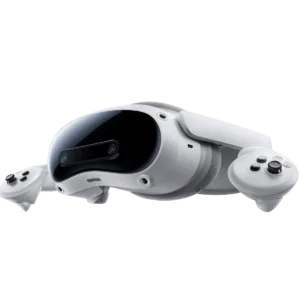
| Storage | 256GB |
|---|---|
| Operating mode | |
| Mixed reality | Yes |
| Passthrough | Colour |
| Hand tracking | Yes |
| Eye tracking | No |
| Face tracking | No |
| Controllers included | Yes |
| PC connection | USB-C, Wi-Fi |
| Display type | LCD |
| Refresh rate | 90 Hz |
| IPD adjustment | 58–72 mm |
| Requires a computer | Optional |
| Lens type | Pancake |
| Tracking type | Inside-out |
| Degrees of freedom | 6DoF |
| Brand | PICO |
| Resolution per eye | 2160×2160 |
| Field of view | 105° |
| RAM | 12 GB |
| Processor | Snapdragon XR2 Gen 2 |
| Built-in audio | Yes |
| Microphone | Yes |
| Connectivity | Bluetooth, USB-C, Wi-Fi 7 |
| Weight | 580 g |
| Controls | Gestures, Controller |
| System | PICO OS (Android 14) |
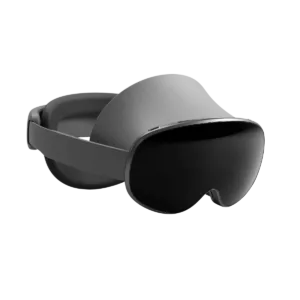
| Storage | 256GB |
|---|---|
| Operating mode | |
| Mixed reality | Yes |
| Passthrough | Colour |
| Hand tracking | Yes |
| Eye tracking | Yes |
| Face tracking | No |
| Controllers included | Optional |
| PC connection | Wi-Fi |
| Display type | Micro-OLED |
| Refresh rate | 60 Hz, 72 Hz, 90 Hz |
| IPD adjustment | 54–70 mm |
| Requires a computer | No |
| Lens type | Pancake |
| Tracking type | Inside-out |
| Degrees of freedom | 6DoF |
| Brand | Samsung |
| Resolution per eye | 3552×3840 |
| Field of view | 109° |
| RAM | 16 GB |
| Processor | Snapdragon XR2+ Gen 2 |
| Built-in audio | Yes |
| Microphone | Yes |
| Connectivity | Bluetooth, USB-C, Wi-Fi 7 |
| Weight | 545 g |
| Controls | Gestures, Voice, Eye tracking |
| System | Android XR |
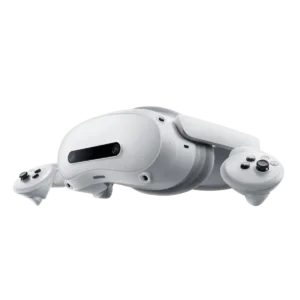
| Storage | 256 GB |
|---|---|
| Operating mode | |
| Mixed reality | Yes |
| Passthrough | Colour |
| Hand tracking | Yes |
| Eye tracking | No |
| Face tracking | No |
| Controllers included | Yes |
| PC connection | USB-C, Wi-Fi |
| Display type | LCD |
| Refresh rate | 90 Hz |
| IPD adjustment | 58–72 mm |
| Requires a computer | Optional |
| Lens type | Pancake |
| Tracking type | Inside-out |
| Degrees of freedom | 6DoF |
| Brand | PICO |
| Resolution per eye | 2160×2160 |
| Field of view | 105° |
| RAM | 12 GB |
| Processor | Snapdragon XR2 Gen 2 |
| Built-in audio | Yes |
| Microphone | Yes |
| Connectivity | Bluetooth, USB-C, Wi-Fi 7 |
| Weight | 580 g |
| Controls | Gestures, Controller |
| System | PICO OS (Android 14) |
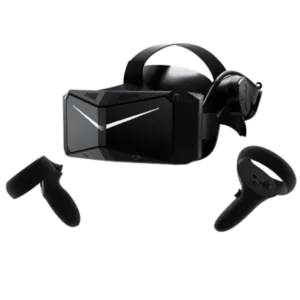
| Storage | None |
|---|---|
| Operating mode | |
| Connectivity | DisplayPort |
| Mixed reality | No |
| Passthrough | Black and white |
| Hand tracking | No |
| Eye tracking | No |
| Face tracking | No |
| Controllers included | Yes |
| PC connection | DisplayPort |
| Display type | QLED + Mini-LED |
| Refresh rate | 60 Hz, 72 Hz, 90 Hz, 120 Hz |
| IPD adjustment | 58–72 mm |
| Requires a computer | Yes |
| Lens type | Aspheric |
| Tracking type | Inside-out |
| Degrees of freedom | 6DoF |
| Brand | Pimax |
| Resolution per eye | 2880×2880 |
| Field of view | 115° |
| Built-in audio | Yes |
| Microphone | Yes |
| Weight | 815 g |
| Controls | Controller |
| System | None |

| Display type | LCD |
|---|---|
| Field of view | Up to 110° |
| RAM | 16 GB |
| Processor | Snapdragon 8 Gen 3 |
| Mixed reality | No (mono passthrough; no full MR) |
| Passthrough | Monochrome |
| Eye tracking | Yes |
| Hand tracking | No |
| Face tracking | No |
| PC connection | Wireless (adapter/SteamVR streaming) |
| Lens type | Pancake |
| IPD adjustment | Manually adjustable |
| Built-in audio | Yes |
| Microphone | Yes |
| Connectivity | Bluetooth, USB-C, Wi-Fi 7 |
| Controls | 6DoF, Touch, Controller, Buttons |
| System | SteamOS 3 |
| Brand | Valve |
| Operating mode | |
| Resolution per eye | 2160×2160 |
| Refresh rate | 72–144 Hz (144 Hz: experimental mode) |
| Weight | 440 g (core module with headstrap) |
| Degrees of freedom | 6DoF |
| Tracking type | Inside-out |
| Controllers included | Yes |
| Requires a computer | No |
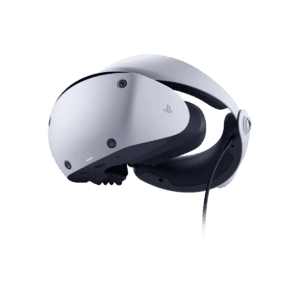
| Brand | Sony |
|---|---|
| Mixed reality | No |
| PC connection | PS5; PC via the PS VR2 PC adapter |
| Requires a computer | No for PS5; yes for PC VR via an adapter |
| Connectivity | Bluetooth, USB-C |
| Operating mode | |
| Display type | OLED |
| Resolution per eye | 2000×2040 |
| Refresh rate | 120 Hz |
| Field of view | 110° |
| Degrees of freedom | 6DoF |
| Tracking type | Inside-out |
| Eye tracking | Yes |
| Hand tracking | No |
| Face tracking | No |
| Passthrough | Yes (mono) |
| Lens type | Fresnel |
| IPD adjustment | Manually adjustable |
| Built-in audio | No (3.5 mm output; stereo earphones included) |
| Microphone | Yes |
| Weight | 560 g |
| Controllers included | Yes (Sense) |
| Controls | Controller, Eye tracking |
| System | PS5 / SteamVR (via PC adapter) |
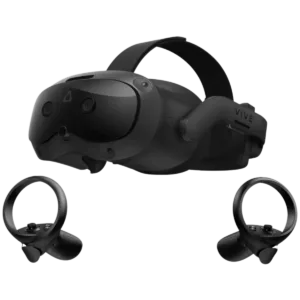
| Brand | HTC |
|---|---|
| Lens type | Fresnel |
| Controls | Buttons, Controller, Gestures, Eye tracking |
| Built-in audio | Yes |
| Operating mode | |
| Display type | LCD |
| Resolution per eye | 2448×2448 |
| Refresh rate | 120 Hz, 90 Hz |
| Field of view | 120° |
| Storage | 128 GB |
| RAM | 12 GB |
| Processor | Snapdragon XR2 |
| Degrees of freedom | 6DoF |
| Tracking type | Inside-out |
| Eye tracking | Yes |
| Hand tracking | Yes |
| Face tracking | No |
| Passthrough | Colour |
| IPD adjustment | 57–72 mm |
| Microphone | Yes |
| Connectivity | Bluetooth, DisplayPort, USB-C, Wi-Fi 6E |
| Weight | 785 g |
| Controllers included | Yes |
| System | VIVE Hub OS / Android-based |
| Mixed reality | Yes |
| PC connection | USB-C, DisplayPort, wireless |
| Requires a computer | Optional |
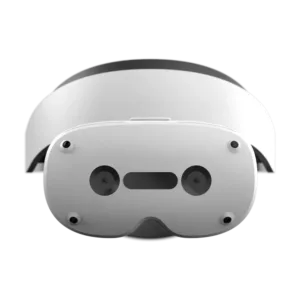
| Processor | Snapdragon XR2 Gen 2 |
|---|---|
| RAM | 16 GB |
| Lens type | Pancake |
| Display type | LCD |
| Refresh rate | 90 Hz |
| Depth sensing | Yes |
| Hand tracking | Yes |
| Tracking type | Inside-out |
| Mixed reality | Yes |
| Built-in camera | Yes |
| Passthrough | Colour |
| Built-in operating system | Yes |
| Operating mode |
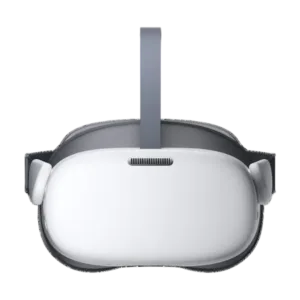
| IPD | Three-position adjustment: 58 mm / 63.5 mm (default) / 69 mm |
|---|---|
| Weight | 604 g |
| Ports | USB-C, 3.5 mm jack (audio) |
| Dimensions | 86 (L) x 166 (W) x 90 (H) mm |
| Tracking | 3DoF — the headset tracks rotation only (yaw/pitch/roll) using IMU sensors, with NO positional inside-out tracking; the controller is also 3DoF |
| Operating mode | Standalone, management via PICO Business Suite (MDM, Kiosk Mode), compatible with the PICO G2 4K SDK |
| Charging power | Qualcomm QC 3.0, USB PD 3.0 (via USB-C) |
| Field of view | 98 degrees |
| Speakers | Dual stereo speakers (on one side), 3D spatial audio |
| Tracking cameras | No cameras for positional tracking or passthrough — the headset relies solely on IMU sensors (3DoF rotational tracking) |
| Battery capacity | 5300 mAh |
| Storage type | UFS 3.1 |
| Internal storage | 256 GB (Plus variant; the base G3 has 128 GB) |
| Operating system | Android 10 (dedicated PICO version / PICO OS) |
| Battery life | approx. 2-3 hours |
| Processor specifications | Kryo 585, 8 cores, 64-bit, 2.84 GHz, 7 nm process |
| Materials and construction | White plastic housing; Plus variant with an adjustable silicone strap (hygienic version) |
| Combined resolution | 3664 x 1920 (773 PPI) |
| Variant distinction | PICO G3 Plus = G3 variant with 256 GB of storage (vs 128 GB in the base G3) and an adjustable hygienic silicone strap; all other components are identical to those in the PICO G3 |
| Refresh rate | 72/90 Hz (switchable) |
| Brand | PICO |
| Colour | White |
| Storage | 256 GB |
| RAM | 6 GB |
| Processor | Snapdragon XR2 |
| System | PICO OS |
| Connectivity | Bluetooth 5.x, Wi-Fi 6 |
| Connectors | 3.5 mm jack, USB-C |
| Lens type | Fresnel |
| Refresh rate | 72 Hz, 90 Hz |
| Display type | LCD |
| Resolution per eye | 1832×1920 |
| Degrees of freedom | 3DoF |
| Hand tracking | No |
| Mixed reality | No |
| Optical transparency | No |
| Built-in camera | No |
| IPD adjustment | Stepped |
| Controllers included | Yes |
| Requires a phone/host device | No |
| Requires a computer | No |
| Microphone | Yes |
| Built-in audio | Yes |
| Built-in operating system | Yes |
| Operating mode | |
| Controls | Controller |