

Zenith XR
Zenith XR
Your account0Wishlist0Cart
Zenith XR Logo
Menu Kategorie
  • Shop
  • VR for Education
  • VR for business
  • Projects
  • Events
  • Blog
  • About us
  • Contact
  • Accessories
    • Batteries and power banks
    • For AR glasses
    • Cases and covers
    • Facial interfaces
    • Cables and adapters
    • Controllers and grips
    • Hygiene covers
    • Head straps
    • Prescription lenses
    • Trackers and sensors
    • Charging cases and cabinets
  • VR treadmills
  • Drones
  • VR headsets
    • Mixed reality headsets
    • Standalone VR headsets
    • Enterprise VR headsets
    • Console VR headsets
    • PC VR headsets
  • Haptics
  • Cameras
  • Consoles
  • Neurotechnology
  • AI glasses
    • AI glasses with a camera
    • AI glasses with a display
  • AR glasses
    • AR glasses accessories
      • Adapters and docks
      • External computing power
    • Industrial AR glasses
    • AR glasses with a display (HUD)
  • Uncategorized
  • 3D displays
Wishlist
Compare
Account
Zenith XR Logo
Compare

No products to compare.

Return to shop

View comparison

Compare
Wishlist

Your wishlist is empty.

Return to shop

View wishlist Add all to cart

Wishlist
Log in
Login Create an account

View your orders, save addresses and check out faster.

Lost your password?

or

Don't have an account? Create an account

or with email

At least 8 characters, including at least one letter and one digit. Must be different from your email address.

Your data will be used to process orders, provide access to your account and for the purposes described in our privacy policy.

Already have an account? Log in

Log in
Cart

Your cart is empty.

Return to shop
Shopping cart (0)
Subtotal: $0,00

View cartCheckout

0 Cart
  • Shop
  • VR for Education
  • VR for business
  • Projects
  • Events
  • About us
  • Contact
  • Blog
Home Blog Guides
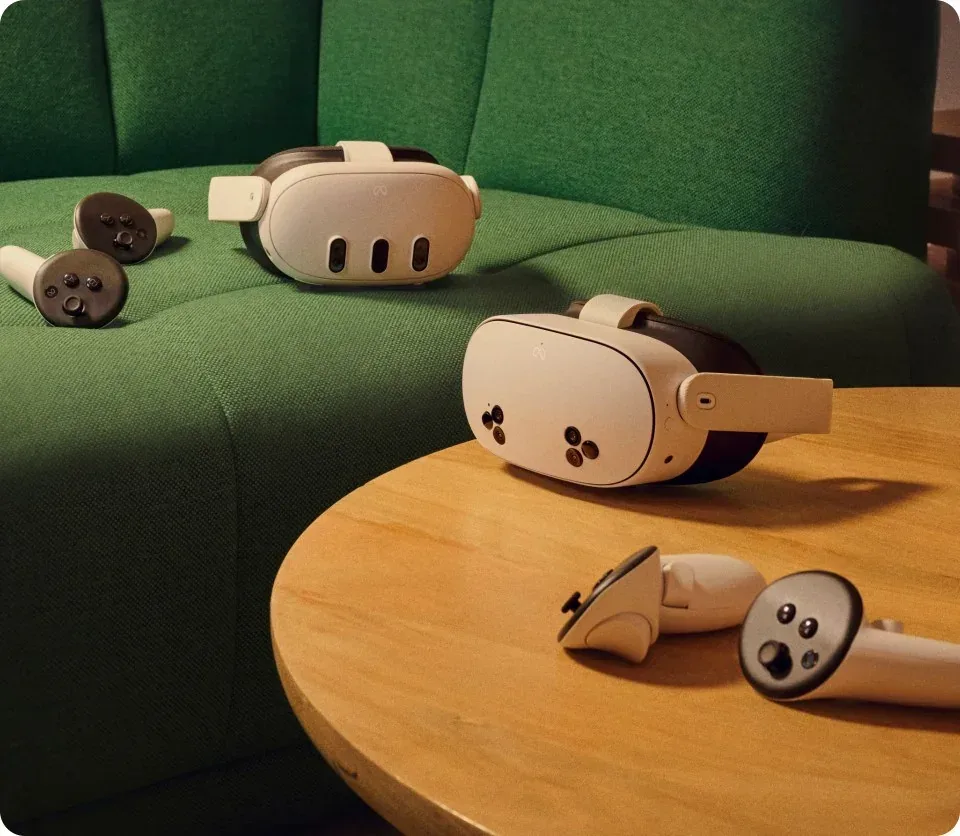
Meta Quest 3S and Meta Quest 3 headsets side by side
Guides

VR deployment cost: a three-year budget
November 13, 2026 /Posted byDariusz Walczak / 33 / 0
Guides 13 November 2026 · 5 min read

VR deployment cost: a three-year budget

Meta Quest 3S and Meta Quest 3 headsets side by side
Two models in Meta’s material, Quest 3S and Quest 3. The photograph does not establish accessory compatibility. | Photo: Meta; about.fb.com.

Two quotes for the same number of headsets can cover different things: an annual licence in one, training and support in the other. Comparing them means separating the cost of getting started from spending that will follow in later years.

Start with a scope that suppliers can quote

A three-year VR budget covers launch costs and spending to maintain the agreed scope. Record concurrent users, intended use, target applications, locations and the launch date.

Separate concurrent-use devices from spares and the facilitator's kit. List existing VR training equipment models and check their suitability for the planned software. Owning computers does not establish readiness for a particular PC VR application. Workstation adaptations also need a scope and quote.

Break the initial purchase into deliverables

Hardware and room preparation. Separate headsets, controllers, computers, accessories, charging, storage and network equipment. Identify each model, variant, quantity and package contents. Check whether required cables, chargers or mounts are included. Base network upgrades on an assessment of the room and applications.

Configuration and training. Request a separate description of device preparation, content installation, account setup and administrator handover. Define training by participant count, duration, format and outcome, such as a facilitator independently starting a session. Establish whether materials, travel and training a replacement administrator are included.

Content and integration. You may need custom scenarios, translations, model imports or connections to existing systems. Specify deliverables and acceptance criteria. Ask separately about subsequent updates and changes, distinguishing one-off development from maintenance.
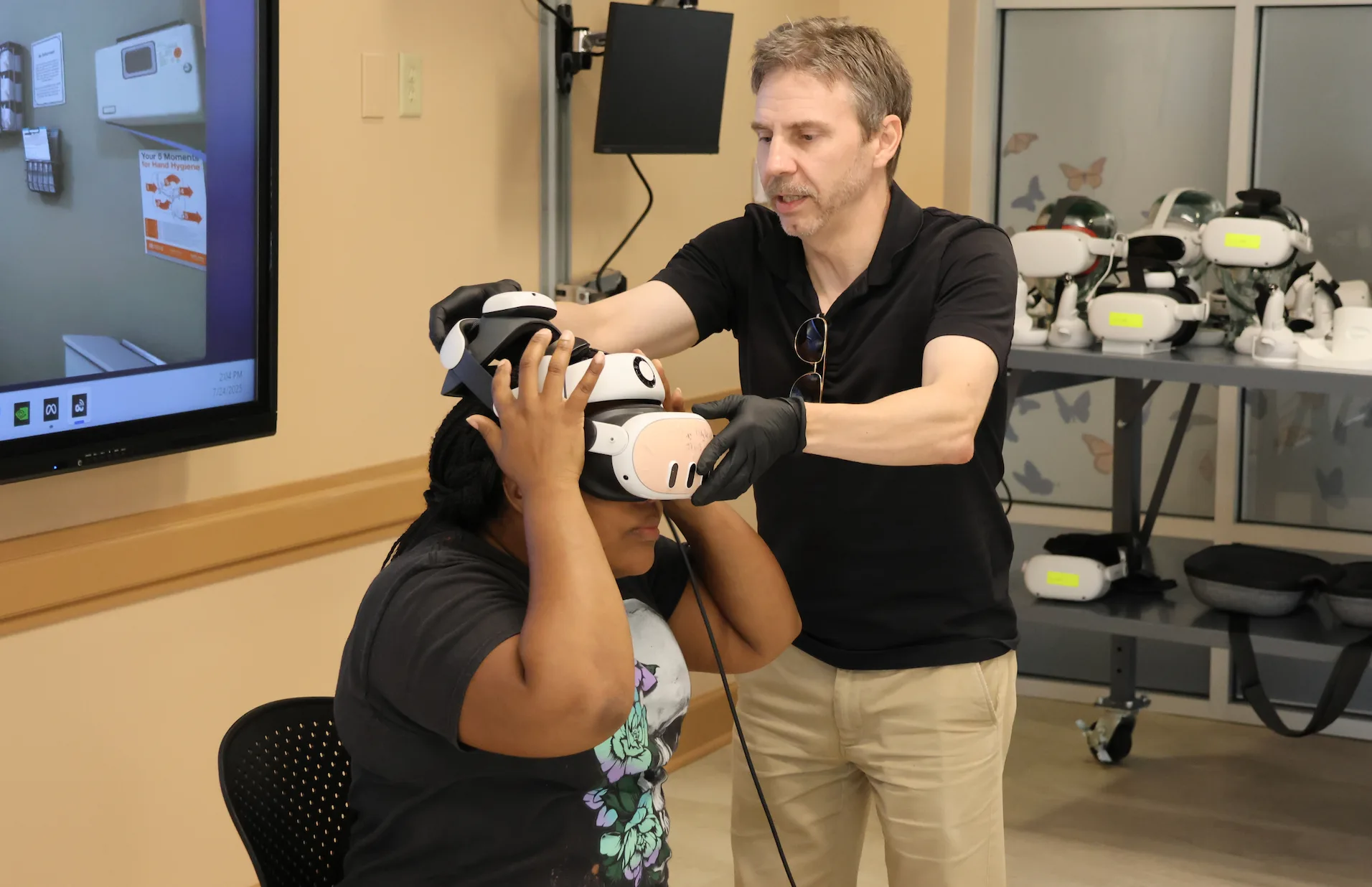
An instructor helps a participant put on a VR headset at Maria College
Preparing for a VR nursing simulation at Maria College. | Photo courtesy of Maria College. Source: ManageXR.

Put licences on a calendar

For each application and device-management service, record the billing unit, required plan, licence count, start date and renewal date. Establish whether the term starts at purchase, activation, registration or an agreed date. If headsets arrive before the room opens, this distinction needs a clear answer before the order.

For example, ManageXR documents a single billing cycle and renewal date for each organisation. Additional licences are prorated to the end of that period, while reducing the licence count takes effect at the end of the current cycle. These are that provider’s conditions, not a universal rule for every platform.

Check optional features as well. ManageXR Rooms became a paid add-on on 1 October 2026, and its documentation lists Premium and Enterprise subscriptions. If viewing a group of participants is part of your intended teaching workflow, request a quote for the necessary configuration instead of assuming that any subscription includes it.

Keep device management separate from permission to use particular content. Describe the actual activity in your enquiry: school classes, employee training or paid demonstrations. Ask the supplier to confirm the licence variant appropriate to that use. Buying a headset does not tell you what the application quote covers.

Identify costs in years two and three

Create separate lines for renewals, support, consumables, worn accessories, service shipping and training new facilitators. Do not repeat the original hardware purchase unless expansion or replacement is planned. Equally, do not assume these costs will all be zero. Where there is no usage history, mark the estimate as unresolved and revisit it after the pilot.

The European VIVE BWS page describes a two-year limited commercial-use warranty and activation within 90 days of hardware purchase. For Focus Vision, XR Elite and Focus 3, it also specifies Business+ Standard access; higher tiers require an upgrade. A three-year budget therefore needs a separate answer about year-three support, while avoiding another charge for a service already included in the package.

Ask whether service covers collection, replacement equipment and restoring the device configuration. A support response time is not a commitment to return a workstation to operation within that time. For internal administration, record the tasks and staff time needed. Use the organisation’s own financial data if you assign a monetary cost, rather than inventing an hourly rate.
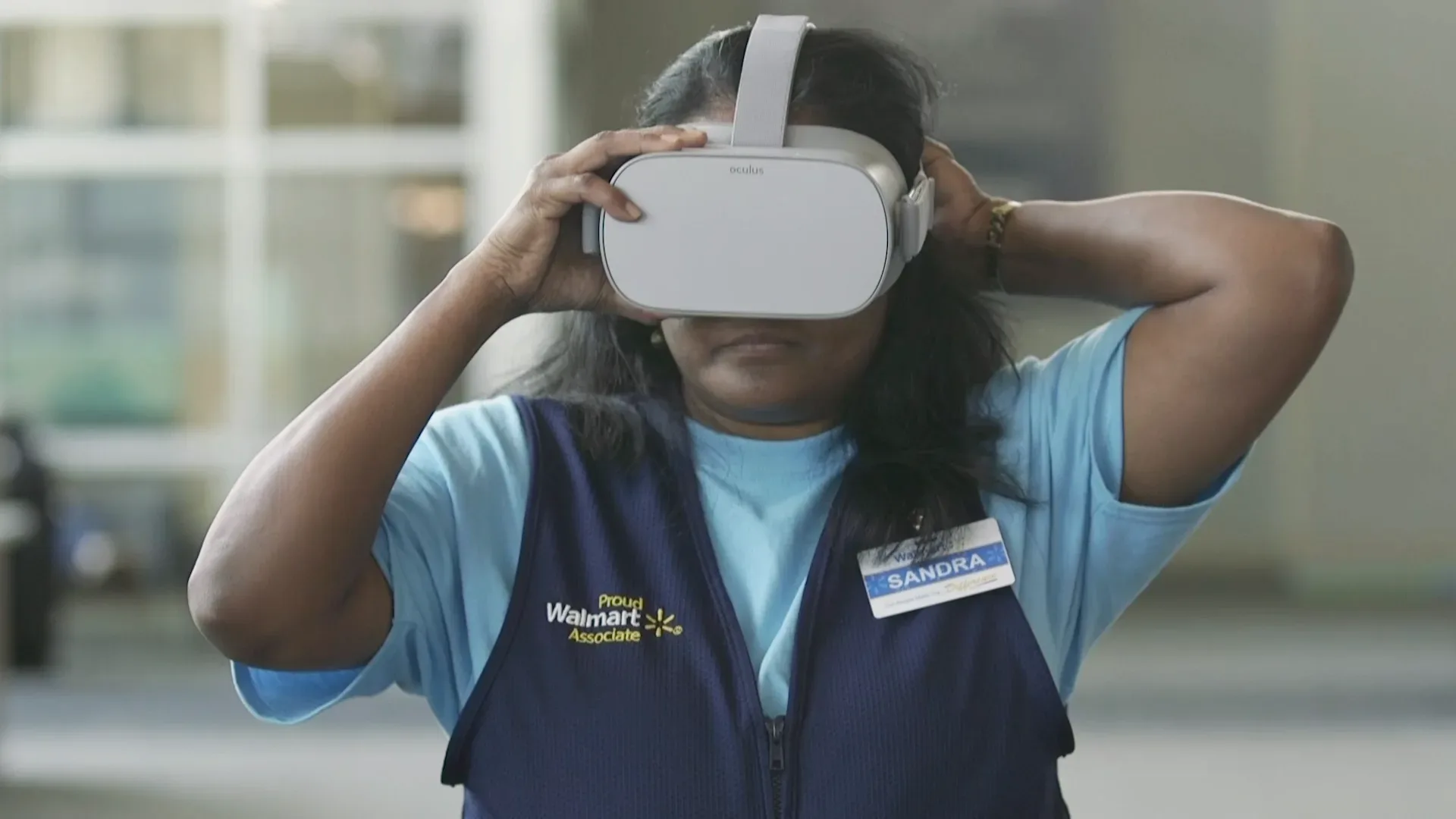
A Walmart associate puts on a VR headset before training
An associate preparing for VR training in Walmart’s 2018 material. | Photo: Walmart; Walmart Corporate, 2018.

Seven questions for a comparable quote

  1. Which exact models, variants and package contents does each line cover?
  2. Which services are one-off and which renew, and what billing unit applies?
  3. What event starts each licence term, and when is the first renewal?
  4. Is renewal automatic, what is the cancellation deadline, and when will the next price be known?
  5. What changes when devices are added, the fleet is reduced or a faulty headset is replaced?
  6. What is included in support, shipping and training, and what needs a separate quote?
  7. Which currency and net or gross basis apply, how long is the quote valid, and when are payments due?

Compare three years without hiding gaps

Use three annual columns with the same starting date for every offer. Keep the model or service scope, quantity, unit price, source and quote date on each line. Mark unquoted items as missing; reserve zero for a confirmed absence of cost. Label the sum of known items as a partial total.

Do not add different currencies or combine net and gross amounts. Agree the comparison basis and any conversions with the person responsible for finance. Record payment dates alongside costs: an annual subscription paid upfront has a different effect on the launch budget from monthly billing. That difference alone does not establish which option is better value.

Build your own cost estimate

Download the VR costs and benefits workbooks (ZIP, PL/EN XLSX files). Extract the archive, open “VR-3-year-cost-PL-EN.xlsx” and choose the EN sheet. Set one currency, a net or gross basis and the first year’s start date. Enter quote lines in the pale cells, including quantity, scope, source and quote date.

Grey cells calculate totals. Missing inputs withhold the complete result; enter zero only for a confirmed absence of cost, with a reason. The workbook does not convert currencies or VAT. Do not add the PL and EN sheets together: they are two versions of the same template.

Request a VR deployment quote from ZenithXR. Include the number of stations, intended use, existing equipment, launch date and required services. Ask for initial costs and the conditions for maintaining the setup over the following years to be shown separately.

Dariusz Walczak
Author

Dariusz Walczak

Dariusz Walczak is responsible for marketing at Zenith XR. He manages the brand's communications and blog content.

All articles

Need specific advice?

Choose the right XR equipment for your needs

Tell us how you plan to use XR headsets. We will help you choose the right equipment for home, school or business.
Choose XR equipmentRequest a quote

Related articles

Two participants wearing VR headsets beside a simulation monitorGuides

Protecting user data on shared VR headsets after each session

6 min read
An open Zioxi USB-C case containing VR headsets and cablesGuides

VR headset charging case or cabinet: which should you choose?

5 min read
A man wearing XREAL One at a desk with a computer and keyboardGuides

AR glasses show no picture over USB-C: causes and fixes

5 min read
IMAX zapowiada wirtualne kino ...
Rows of colourful seats in an empty IMAX cinema

Add comment Cancel reply

Your email address will not be published. Required fields are marked

Categories

  • XR news (6)
  • Guides (21)

Best-Selling

  • Varjo XR-4 Offline package

    Varjo XR-4 Offline package

  • Varjo Base Pro perpetual licence

    Varjo Base Pro perpetual licence

  • Varjo Integrated XR System with XR-4 Focal Edition

    Varjo Integrated XR System with XR-4 Focal Edition

  • Varjo Integrated XR System with XR-4

    Varjo Integrated XR System with XR-4

Explore
Sklep
Account
More
More
  • Shop
  • VR for Education
  • VR for business
  • Projects
  • Events
  • About us
  • Contact
  • Blog
Returns and warrantySupport after your purchase
XR adviceHelp choosing your equipment
Shopping for businesses and schoolsProforma invoices, VAT invoices and quotations
Secure paymentsCard or bank transfer based on a pro forma invoice
Zenith XR

We help you choose VR headsets and XR equipment for entertainment, learning and work. We advise, put together equipment packages and help you get everything running at home, at school and at work.

  • +48 789 130 673 · phone
  • support@zenithxr.pl · email
  • Mon–Fri 09:00–17:00
ZenithXR Cezary Sobociński
ul. Henryka Sienkiewicza 3/1 · 62-200 Gniezno
NIP 7842554642 · REGON 545279537

Shop

  • VR headsets
  • Mixed reality headsets
  • AR glasses
  • AI glasses
  • Trackers and accessories
  • All products

Help

  • FAQ
  • Delivery
  • Returns (14 days)
  • Warranty
  • Contact
  • My account

For business

  • VR for business
  • Request a quote (B2B)
  • Help choosing equipment
CardBank transfer
© 2026 Zenith XR. All rights reserved.
Terms and conditions Privacy policy Returns and complaints Cookie settings

Menu

Navigation

ShopVR for EducationVR for businessProjectsEventsBlogAbout usContact

Categories

Uncategorized3D displays
Wszystko w: AccessoriesFor AR glassesBatteries and power banksCases and coversFacial interfacesCables and adaptersControllers and gripsHygiene coversHead strapsPrescription lensesTrackers and sensorsCharging cases and cabinets
VR treadmillsDrones
Wszystko w: VR headsetsMixed reality headsetsStandalone VR headsetsEnterprise VR headsetsConsole VR headsetsPC VR headsets
HapticsCamerasConsolesNeurotechnology
Wszystko w: AI glassesAI glasses with a cameraAI glasses with a display
Wszystko w: AR glassesAR glasses accessoriesIndustrial AR glassesAR glasses with a display (HUD)
Help and contact

Your account

The form will appear after you open the panel.

Go to My Account

Wishlist

Your wishlist is empty

Tap the heart on a product to come back to it later.

Browse the shop

Could not load your wishlist

Try again to check your saved products.

Open the full list

Cart

Your cart is empty

Log in, to see your saved products, or browse our suggestions below.

Return to shopView wishlist

Best sellers

meta quest 3 512gbMeta Quest 3$703,00Brilliant Labs HaloBrilliant Labs Halo$605,00White Looking Glass Go displaying a sample 3D sceneLooking Glass Go White$346,005-metre cable for Quest 3/3S5-metre cable for Quest 3/3S$15,00

Currency and Language

Language

PolskiEnglish

Delivery country

Currency

PLNEURUSD
Manage consent

We use cookies to store and access data on your device, including browsing data and identifiers. Without your consent, some features may not work as well.

Functional Always active
Technical storage or access is strictly necessary for the legitimate purpose of enabling the use of a specific service explicitly requested by the subscriber or user, or solely for the purpose of transmitting a communication over an electronic communications network.
Preferences
Technical storage or access is necessary for the legitimate purpose of storing preferences that are not requested by the subscriber or user.
Statistics
Technical storage or access that is used exclusively for statistical purposes. Technical storage or access that is used exclusively for anonymous statistical purposes. Without a subpoena, voluntary compliance by your Internet Service Provider, or additional records from a third party, information stored or retrieved solely for this purpose usually cannot be used to identify you.
Marketing
Technical storage or access is required to create user profiles for sending advertising, or to track the user on a website or across several websites for similar marketing purposes.
  • Manage options
  • Manage services
  • Manage {vendor_count} vendors
  • Read more about these purposes
View preferences
  • {title}
  • {title}
  • {title}

Help center

Essential information about orders, delivery and how to contact us.

Shipment status Check where your order is Contact Email us or call us FAQ Answers to frequently asked questions Blog Guides, rankings and news from the XR world About us Learn about Zenith XR and our approach to technology