


Brak produktów w koszyku.
VR trackers and full-body tracking: VIVE Tracker 3.0, Ultimate Tracker, PICO Motion and Tundra: which should you choose for games, motion capture and research?
VR trackers and full-body tracking: VIVE Tracker 3.0, Ultimate Tracker, PICO Motion and Tundra: which should you choose for gaming, mocap and research?
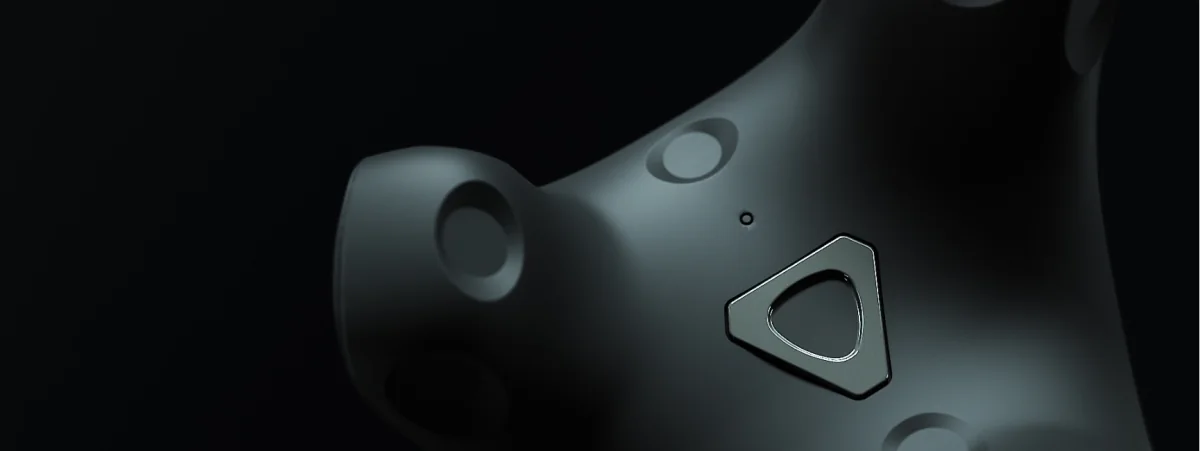
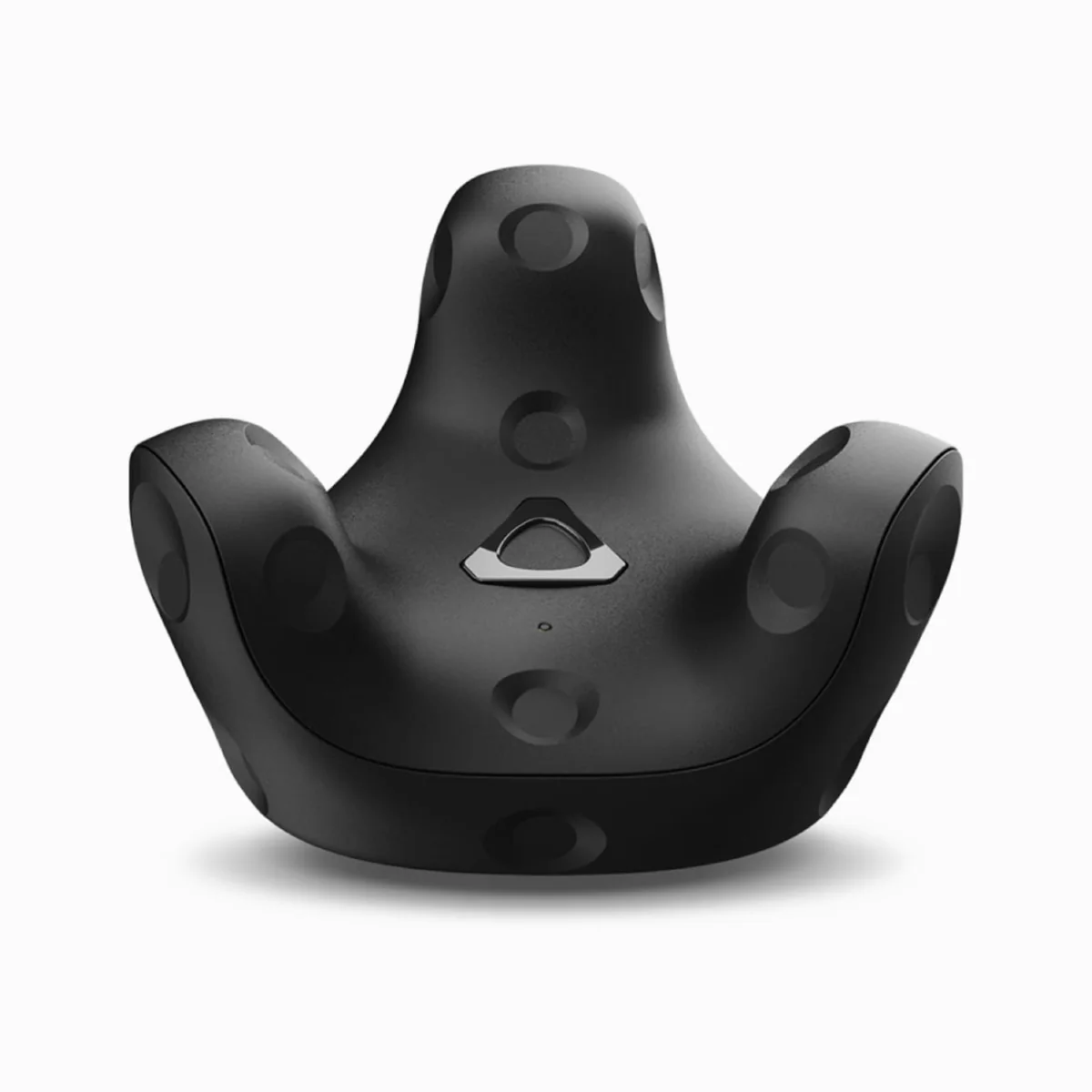
A VR tracker adds a tracking point on the body or a prop. A kit for the hips and both feet is a common starting point for full-body tracking (FBT), but the number of sensors depends on the app and the movements you want to capture. This guide compares Lighthouse trackers, VIVE Ultimate Tracker and PICO Motion Trackers: headset compatibility, required software and the complete kit.
Two tracking systems
Trackers fall into two categories, and this is the first decision you need to make: one that’s more important than the brand.
With base stations (SteamVR Lighthouse). VIVE Tracker 3.0 and Tundra Tracker need compatible base stations and a PC running SteamVR. A room setup commonly uses two stations to reduce sensor occlusion; choose the number and mounting positions for the area and hardware instructions. The headset may use Lighthouse or another system, but mixing systems also requires aligning their tracking spaces. Do not assume a tracker will work immediately with any headset. See Base Station 2.0.
Without base stations. VIVE Ultimate Tracker uses its own cameras. PICO Motion Trackers combine motion sensors with active infrared and work with supported PICO headsets. Both solutions require pairing, calibration and a compatible app. A setup without base stations is easier to move, but does not offer identical accuracy in every environment; surroundings and lighting matter for camera-based trackers.
IMU trackers such as SlimeVR are a separate option outside our range. They need SlimeVR Server software to calculate and transmit positions. The developer provides desktop and Android versions. A compatible game on a standalone Quest can receive data through OSC, but the server, network and calibration need setup. OSC is not exclusive to IMU trackers; it is a way of sending data to an app.
Comparison of trackers from the Zenith XR lineup
| Model | System | Requires | Headsets and apps | Use |
|---|---|---|---|---|
| VIVE Tracker 3.0 | Lighthouse | Base Station 1.0 or 2.0, receiver, PC and SteamVR | compatible PC VR; mixed systems require calibration | FBT, mocap, props |
| Tundra Tracker | Lighthouse | compatible base stations, receiver, PC and SteamVR | compatible PC VR and a tracker-enabled app | FBT, mocap, props |
| VIVE Ultimate Tracker 3+1 Kit | built-in tracker cameras | VIVE Wireless Dongle; PC VR also needs a USB cradle and VIVE Hub | selected VIVE headsets; other headsets through compatible PC VR | FBT and mocap with compatible software |
| PICO Motion Trackers | IMU + infrared | supported PICO headset and compatible app | PICO 4 Ultra, 4 Pro, 4, Neo3; check Enterprise variants separately | motion-tracking-enabled games |
| HTC Base Station 2.0 | Lighthouse | power and mounting according to the instructions | trackers and headsets compatible with Base Station 2.0 | setup component, not a body-worn tracker |
Check included items, straps, receivers and battery life for the exact offer. PICO lists two trackers and two straps in its standard kit. For VIVE and Tundra, confirm the mounting and PC connection accessories rather than assuming every package includes the same items.
What does this mean in practice? Start with the headset model and app. Existing base stations may lower the cost of a Lighthouse kit if they are compatible with the trackers. Ultimate Tracker supports selected VIVE headsets and compatible PC VR headsets through VIVE Hub. PICO Motion requires a supported PICO headset. In every case, check whether the game accepts tracker data: hardware compatibility alone is not enough.
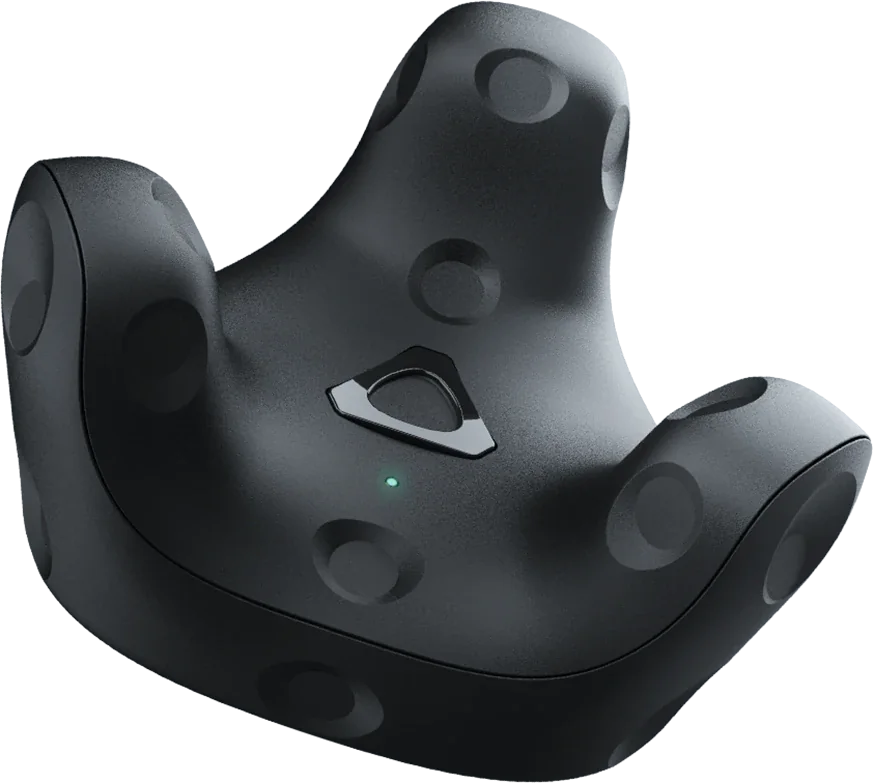
Full-body tracking kit for games
Hips and both feet are the common three additional points in an FBT kit. VRChat also supports smaller or asymmetric configurations, with up to eight additional trackers. Choose the number for the body parts and app you want to track. More sensors do not guarantee better results: mounting, calibration and avatar fit matter.
Option A: You have a computer and SteamVR headset with base stations
- 3× VIVE Tracker 3.0. Each includes its own USB receiver, so you will use three ports. You can add a USB hub or choose Tundra, where one SW3 receiver supports three trackers.
- Hip and foot straps: these aren’t included in the set; you’ll need to purchase them separately.
- If you do not have base stations, include 2× Base Station 2.0.
- Pair the trackers in SteamVR; in VRChat, click “Calibrate FBT” in front of a mirror.
Option B: selected VIVE headsets, without base stations
- VIVE Ultimate Tracker 3+1 Kit and a supported headset such as VIVE Focus Vision.
- For standalone apps, check tracker support on the headset. HTC’s VRChat instructions instead describe a PC, SteamVR and VIVE Streaming setup.
- Pairing hardware without base stations does not confirm that any game will work without a PC.
Option C: PICO
- A pair of PICO Motion Trackers and a supported headset such as PICO 4 Ultra.
- For a native game, confirm motion tracking support in PICO Store. PC VR requires PICO Connect, a supported system version, a Windows PC running SteamVR, and a game that accepts body-tracking data.
- For Enterprise versions, check the required software and app compatibility separately; do not automatically apply consumer PICO Connect requirements to Business Streaming.
Option D: Meta Quest 3 or 3S
For a headset setup using Quest 3 with Ultimate Tracker, plan a compatible PC VR setup: a computer, SteamVR, VIVE Hub, VIVE Wireless Dongle and its USB cradle. Lighthouse trackers on PC also need base stations and tracking-space alignment. Native VRChat on Quest can receive OSC data from suitable software, such as SlimeVR Server on Android or a computer. This is a separate setup path, not direct pairing of any tracker with Quest.
For motion capture and animation
For motion capture and animation, check the complete workflow: tracker, receiver, runtime, Unity or Unreal plugin, and mapping tracking points to the skeleton. A device visible in SteamVR is not automatically available through every OpenXR plugin. Lighthouse needs base stations, while Ultimate Tracker uses cameras; the choice depends on the setup and software support. Before a larger purchase, test motion recording and export in the target app.
Choose the number of trackers for the body points and props supported by the software. Also account for USB receivers, straps, power and the required area. For Tundra, check the exact receiver model and supported device count rather than assuming one receiver for every package. A portable camera-based setup also needs tracking checks in its new surroundings.
For motion research at a university
Biomechanics, rehabilitation, and UX labs ask for two things: accuracy and repeatability. The honest answer:
- Lighthouse (Tracker 3.0, Tundra). Mounting, sensor visibility, reflections and calibration affect results. Do not treat a general “sub-millimetre” claim as an accuracy guarantee for your own setup. Measure error and repeatability for your task and reference frame.
- Ultimate Tracker. A 2024 study compared it with OptiTrack during robotic and human movements. The authors reported mean precision of 4.98 mm ± 4 mm under the tested conditions; lighting, speed and range of motion affected results. This is a result from a specific experiment, not a guarantee for any laboratory.
- PICO Motion. Body-tracking support in an app does not confirm suitability for a particular research measurement. Check data access, sampling rate, export and validation against a reference method.
If the study focuses on vision rather than the body, that’s a different matter: the Pupil Labs eye-tracking module for Quest 3 records fixations, blinks and pupil diameter. For university purchases, we can configure a set with spare trackers, base stations and stands and issue an invoice. Tell us what you want to measure.
Most common issues
- Occlusion and reflections. With Lighthouse, check base-station visibility, mirrors and other reflective surfaces. With camera-based trackers, check lighting and the environment map.
- Drift or misaligned spaces. Establish whether the issue is calibration, mixed tracking systems or tracking loss. Recalibrate according to the instructions; do not assume the same reset interval for every IMU tracker.
- Batteries. Check the stated battery life for the exact model and charge the complete kit before the session. A manual’s figure applies to specified conditions, not every use.
- USB receivers. Confirm the required receiver and how many trackers it supports. Follow the manufacturer’s connection and placement guidance.
- Straps and mounts. Check the exact included items, fit and mounting stability on the body or prop. Budget for any missing accessories.
Sources and compatibility checks before purchase
Checked on 10 October 2026. Before ordering, confirm the exact headset model, app, PC VR or standalone mode, receivers and accessories. See product pages for hardware prices and availability.
- VRChat FBT setup
- Tracker data over OSC
- Ultimate Tracker PC connection
- HTC setup for VRChat
- PICO compatibility and included items
- PICO Connect requirements
- SlimeVR Server for desktop and Android
- Ultimate Tracker precision study
FAQ
How many trackers do you need for full-body tracking?
Three for the hips and feet is a common kit, but not a universal minimum. VRChat also supports smaller and asymmetric configurations, with up to eight additional trackers. Choose the number for the app and body parts being tracked.
Do VR trackers work with the Meta Quest 3?
Ultimate Tracker works with a compatible Quest PC VR setup through a computer, SteamVR and VIVE Hub with the required receiver. Lighthouse on PC also needs base stations and calibration. Native VRChat can receive OSC data from separate software; this does not mean direct pairing of trackers with the headset.
Does the VIVE Tracker 3.0 work without base stations?
No. Without Base Station 1.0 or 2.0 units, it cannot determine its position. If you do not want to install base stations, choose VIVE Ultimate Tracker or PICO Motion Trackers.
How does the VIVE Tracker 3.0 differ from the VIVE Ultimate Tracker?
Tracker 3.0 needs compatible base stations. Ultimate Tracker has its own cameras and supports selected VIVE headsets and compatible PC VR headsets through VIVE Hub. Check the receiver, software and app; do not assume identical accuracy in every environment.
Does the PICO Motion Tracker work with SteamVR?
It can send body-tracking data through PICO Connect from supported PICO headsets to a Windows PC running SteamVR. Check the system version and tracker support in the specific game. Enterprise versions and Business Streaming need separate checks.
What should a full body tracking setup include?
Choose the setup to match your headset and tracking system. Include trackers, receivers, straps and mounts. Lighthouse requires base stations and a computer; Ultimate Tracker has its own cameras, while PICO Motion works with supported PICO headsets.
See the related guides: VR treadmill comparison and rental requirements · Emotiv EEG for research.
Not sure which system is compatible with your headset or how many base stations your room needs? Contact us. We will put together a kit, include straps and stands, and issue a VAT invoice. Browse all models here: Trackers and sensors.

Author
Dariusz Walczak
Dariusz Walczak is responsible for marketing at Zenith XR. He manages the brand's communications and blog content.
Need specific advice?
Choose the right XR equipment for your needs
Tell us how you plan to use XR headsets. We will help you choose the right equipment for home, school or business.



Add comment